
Mazda 3 Service Manual: High Mount Brake Light Removal/Installation
4SD
1. Disconnect the negative battery cable..
2. Remove the trunk lid trim..
3. Disconnect the connector.
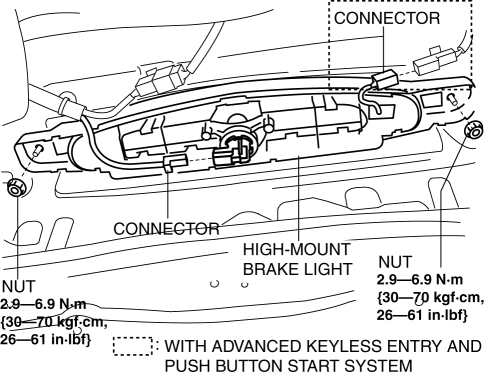
4. Remove the nuts.
5. While pressing the tabs shown in the figure, pull the high-mount brake light outward and remove it.
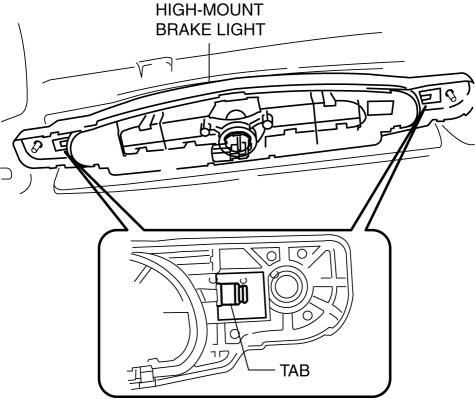
6. Remove the high-mount brake light.
7. Install in the reverse order of removal.
5HB
Except Mazdaspeed3
1. Disconnect the negative battery cable..
2. Remove the liftgate upper trim..
3. While pressing the tabs shown in the figure, pull the high-mount brake light outward and remove it.
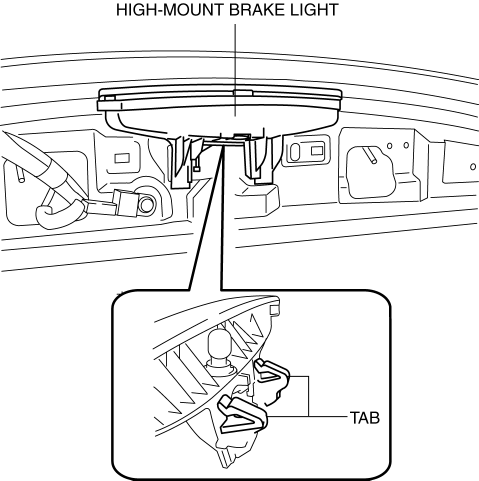
4. Remove the high-mount brake light socket.
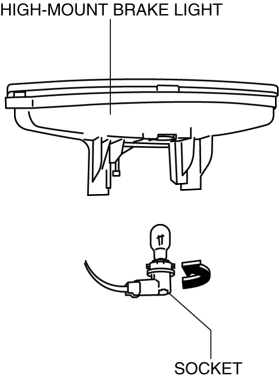
5. Remove the high-mount brake light.
6. Install in the reverse order of removal.
Mazdaspeed3
1. Disconnect the negative battery cable..
2. Remove the liftgate upper trim..
3. Remove the rear spoiler..
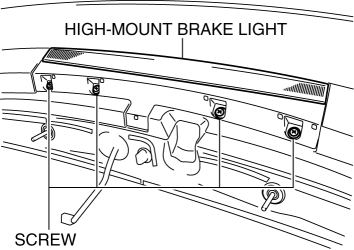
4. Remove the screws shown in the figure.
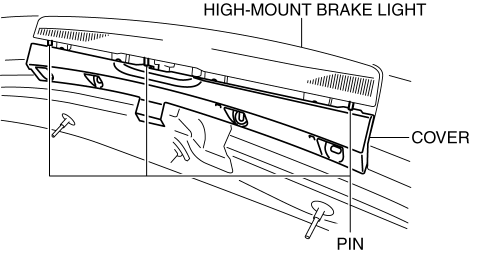
5. Set the pin aside and remove the cover.
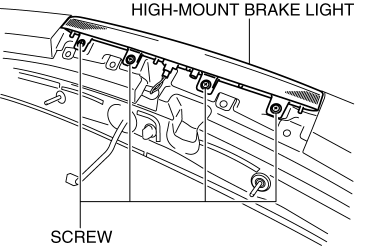
6. Remove the screws shown in the figure.
7. Pull out the wiring harness from the rear spoiler.
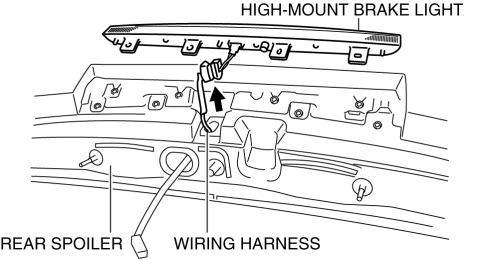
8. Remove the high-mount brake light.
9. Install in the reverse order of removal.
 High Mount Brake Light Disassembly/Assembly
4SD
1. Disconnect the negative battery cable..
2. Remove the trunk lid trim..
3. Remove the high-mount brake light..
4. Remove the high-mount brake light outer lens.
5. Remove the high-mo ...
 License Plate Light Bulb Removal/Installation
1. Disconnect the negative battery cable..
2. Insert a tape-wrapped fastener remover to the position shown in the figure,
release the tabs, and remove the lens.
3. Remove the license plate l ...
Other materials:
Pilot Bearing Inspection [A26 M R]
CAUTION:
Secure the steering wheel using tape or a cable to prevent the steering shaft
from rotating after disconnecting the steering shaft. If the steering wheel
rotates after the steering shaft and the steering gear and linkage are disconnected,
the internal parts of the clock spr ...
No.16 Judder Upon Torque Converter Clutch (TCC) Operation [FS5 A EL]
16
Judder upon torque converter clutch (TCC) operation
DESCRIPTION
Vehicle jolts when TCC is engaged.
POSSIBLE CAUSE
Poor TCC engagement due to either slippage because the TCC is stuck
...
Air Intake Actuator Removal/Installation [Manual Air Conditioner]
1. Set the air intake mode to FRESH.
2. Disconnect the negative battery cable..
3. Remove the following parts:
a. Front scuff plate (Passenger-side).
b. Front side trim (Passenger-side).
c. Dashboard under cover.
d. Glove compartment.
e. Lower panel (Passenger-side).
f. Shower duct ( ...
