
Mazda 3 Service Manual: Hood Adjustment
Gap Adjustment
1. Verify that the gap between the hood and the body is within the specification.
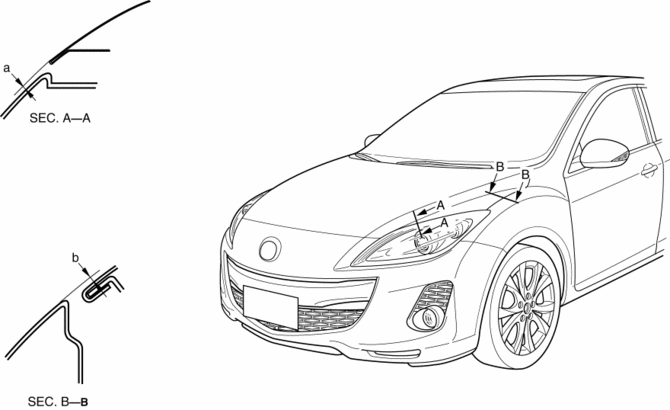
-
Standard clearance
-
a: -2.8—0.8 mm {-0.11—0.03 in}
-
b: –1.2—1.2 mm {–0.047—0.0.47 in}
2. Disconnect the negative battery cable..
3. Remove the following parts:
a. Front bumper.
b. Front combination light.
c. Front fender molding.
d. Side step molding.
e. Front fender panel.
4. Loosen the hood hinge installation bolts and adjust the hood.
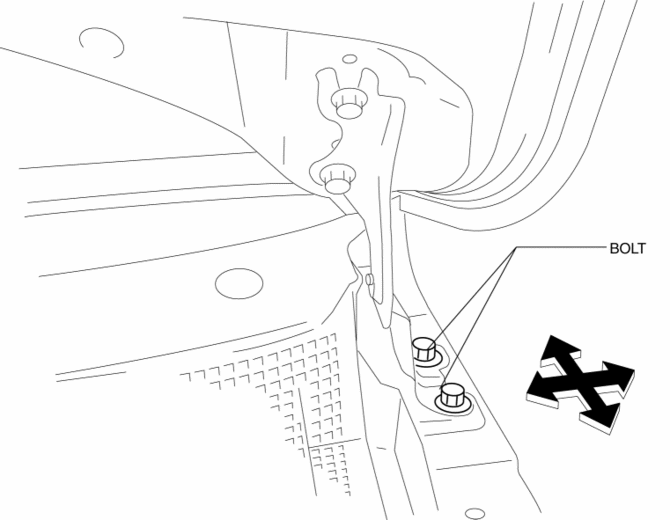
5. Tighten the bolts..
6. Install the following parts:
a. Front fender panel.
b. Side step molding.
c. Front fender molding.
d. Front combination light.
e. Front bumper.
7. Connect the negative battery cable..
Height Difference Adjustment
1. Verify that the height difference between the hood and the body is within the specification.
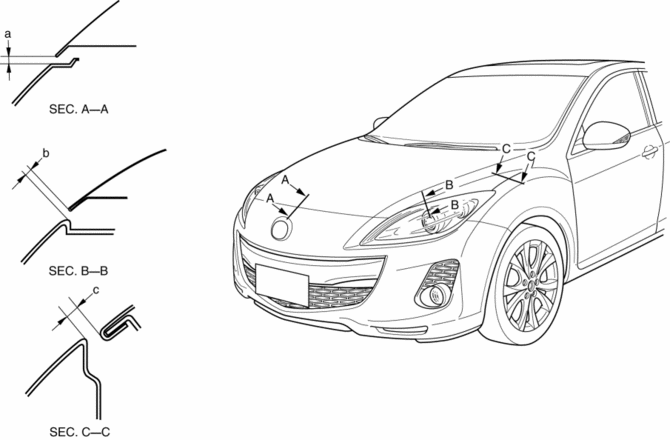
-
Standard clearance
-
a: 3.0—6.0 mm {0.12—0.23 in}
-
b: 1.9—5.1 mm {0.08—0.20 in}
-
c: 2.5—4.9 mm {0.10—0.19 in}
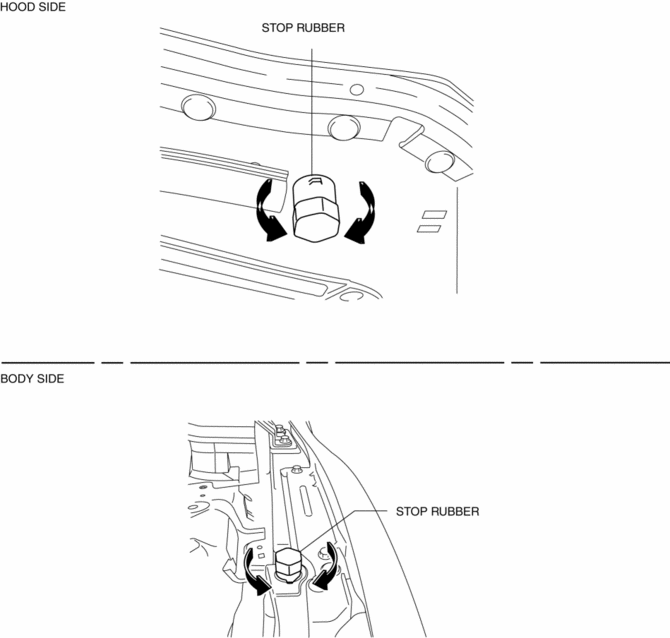
2. Turn the stop rubber to adjust the height of the hood.
 Front Outer Handle Removal/Installation
1. To access the glass installation bolt, position the front door glass so that
the distance from the top of the front door glass to the upper part of the front
beltline molding is approx. 80 mm { ...
 Hood Disassembly/Assembly
Except Mazdaspeed3
1. Disassemble in the order indicated in the table.
1
Weather strip parting seal
2
Weather strip shroud seal
...
Other materials:
Rear Seat Back Frame Removal/Installation
1. Remove the rear seat cushion..
2. Remove the rear buckle installation bolt..
3. Remove the rear seat back..
4. Remove the headrest.
5. Open the fasteners.
6. Detach the hooks.
7. Remove the child-restraint seat anchor covers in the order of (1), (2) as
shown in the figure. (5H ...
Starter Interlock Switch Inspection [Mzr 2.0, Mzr 2.5]
CAUTION:
Do not reuse the starter interlock switch if it is removed from the vehicle
even once. Replace with a new starter interlock switch when installing.
1. Remove the battery cover..
2. Disconnect the negative battery cable..
3. Disconnect the starter interlock switch connec ...
Rear Package Trim Removal/Installation
1. Remove the following parts:
a. Rear seat cushion.
b. Rear scuff plate.
c. Tire house trim.
d. C-pillar trim.
2. Fold the rear seat back.
3. Remove the fasteners.
4. Pull up the rear package trim in the direction of the arrow (1) shown in the
figure while remove the clips and p ...
