
Mazda 3 Service Manual: Oil Pressure Switch Removal
MZR 2.0, MZR 2.5, MZR 2.3 DISI Turbo
WARNING:
-
A hot engine can cause severe burns. Turn off the engine and wait until it is cool before removing the exhaust system.
1. Disconnect the negative battery cable.
2. Remove the aerodynamic under cover No.2..
3. Disconnect the connector.
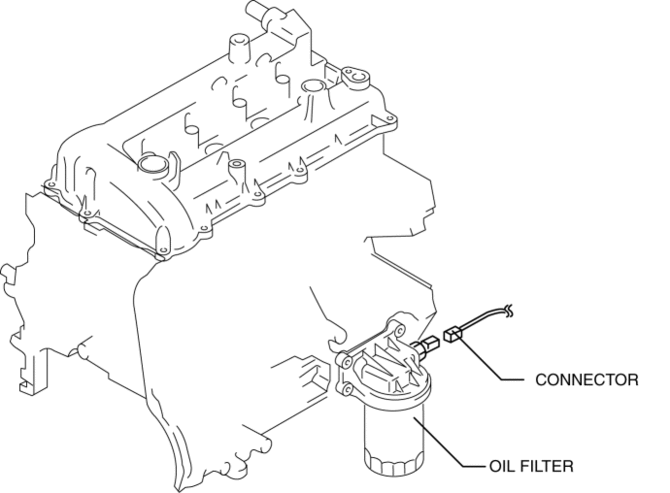
4. Remove the oil pressure switch.
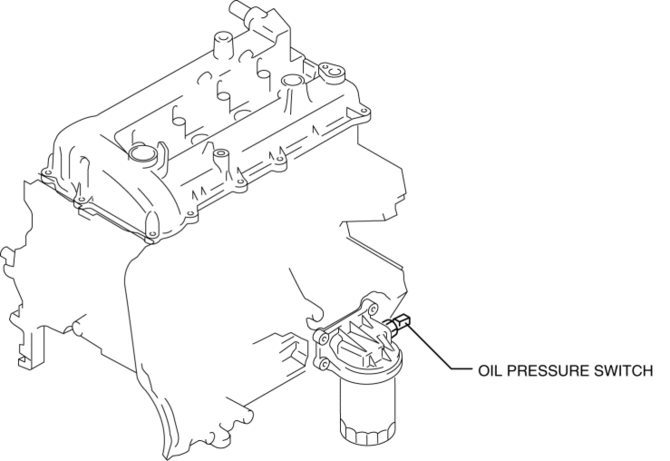
SKYACTIV-G 2.0
WARNING:
-
A hot engine can cause severe burns. Turn off the engine and wait until it is cool before removing the exhaust system.
1. Disconnect the negative battery cable.
2. Remove the aerodynamic under cover No.2..
3. Disconnect the connector.
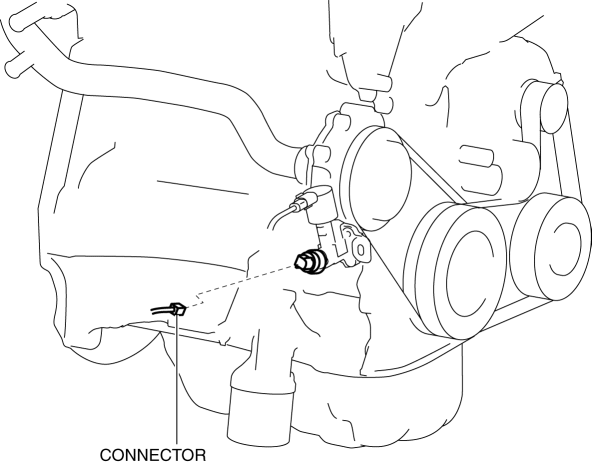
4. Remove the oil pressure switch.
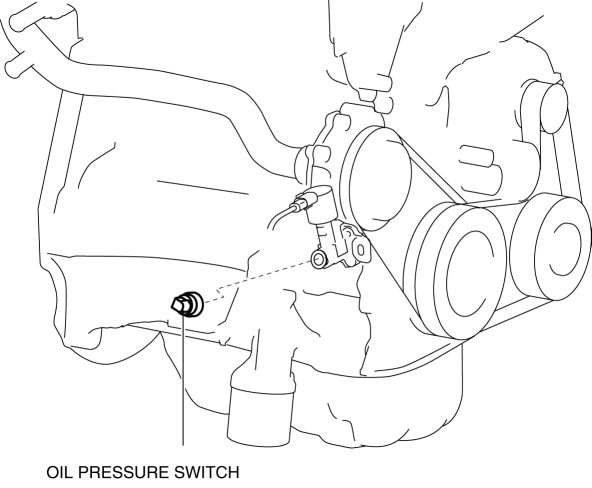
 Oil Pressure Switch Inspection [FS5 A EL]
CAUTION:
Water or foreign objects entering the connector can cause a poor connection
or corrosion. Be sure not to drop water or foreign objects on the connector
when disconnecting it.
...
 Oil Pressure Switch Removal/Installation [FS5 A EL]
WARNING:
A hot transaxle and ATF can cause severe burns. Turn off the engine and wait
until they are cool.
1. Perform the following procedures.
a. Remove the battery cover..
b. Di ...
Other materials:
Headliner Removal/Installation
1. Shift to the D (ATX) or 4th gear (MTX) position. (4SD)
2. Disconnect the negative battery cable..
3. Remove the rain sensor cover. (Vehicles with auto light/wiper system).
4. Disconnect the rain sensor connector. (Vehicles with auto light/wiper system)
5. Partially peel back the seaming ...
Customization
In the Subaru Solterra, a variety of system parameters can be adjusted to better
match driver preferences, offering enhanced comfort, usability, and personalization
of vehicle functions.
WARNING
■ Back door closer
If the Subaru Solterra back door is left slightly ajar, the integrated
...
Camshaft Position (CMP) Sensor Inspection [Mzr 2.0, Mzr 2.5]
Visual Inspection
CAUTION:
When replacing the CMP sensor, make sure there is no foreign material on
it such as metal shavings. If it is installed with foreign material, the sensor
output signal will malfunction resulting from fluctuation in magnetic flux and
cause a deterioration i ...
