
Mazda 3 Service Manual: Rear Door Quarter Glass Removal/Installation
1. Fully lower the rear door glass.
2. Disconnect the negative battery cable..
3. Remove the rear door trim..
4. Remove the service hole cover.
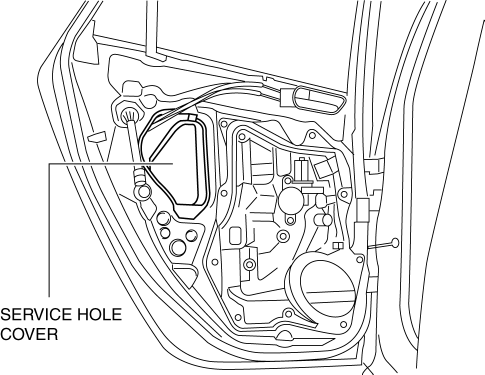
5. Remove the hole plug.
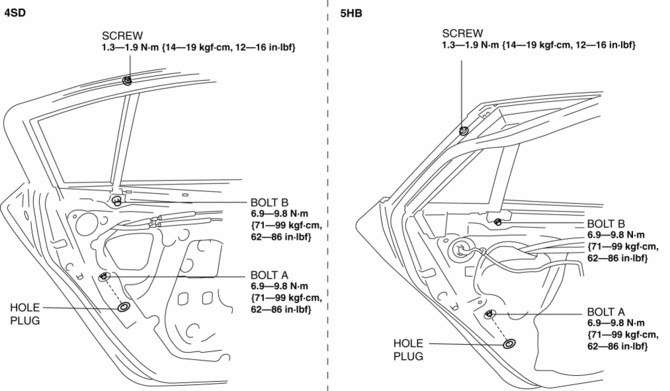
6. Remove the screw.
7. Remove the bolt A and B.
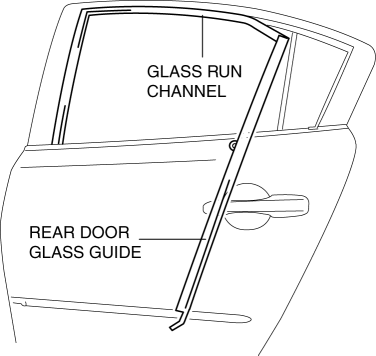
8. Remove the rear door glass guide.
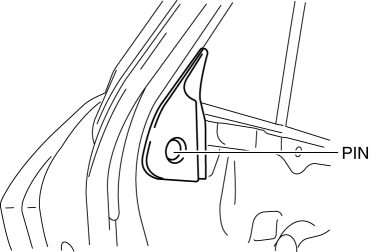
9. Remove the pin. (5HB)
10. Slide the rear door quarter glass in the direction of the arrow (1) shown in the figure.
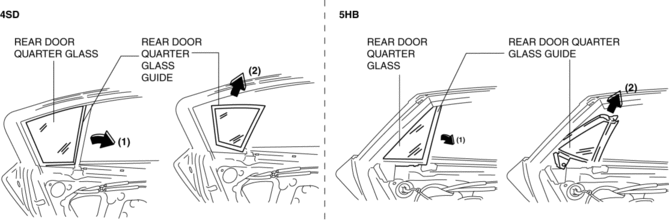
11. Remove the rear door quarter glass and rear door quarter glass guide as a single unit in the direction of the arrow (2) shown in the figure.
12. Remove the rear door quarter glass from the rear door quarter glass guide.
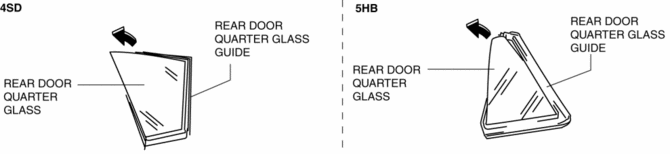
13. Install in the reverse order of removal.
 Rear Door Glass Removal/Installation
1. Fully lower the rear door glass.
2. Disconnect the negative battery cable..
3. Remove the rear door trim..
4. Remove the rear door speaker..
5. Remove the rear power window motor..
6. Rem ...
 Rear Power Window Regulator Removal/Installation
1. Fully lower the rear door glass.
2. Disconnect the negative battery cable..
3. Remove the rear door trim..
4. Remove the service hole cover.
5. Remove the rear door speaker..
6. Remov ...
Other materials:
Opening and Closing the Liftgate/
Trunk Lid
Opening the liftgate (5–door)
Using the electric liftgate opener
Unlock the doors and liftgate, then press
the electric liftgate opener on the liftgate
and raise it when the latch releases.
NOTE
(With the advanced keyless function)
A locked liftgate can also be opened
while the key ...
Rearview Mirror Removal
1. Insert a tape-wrapped flathead screwdriver to the position shown in the figure
and press the center part of the spring in the direction of arrows (1), and then
pull out the rearview mirror in the direction of arrows (2) shown in the figure.
CAUTION:
When removing the rearview m ...
Battery Removal/Installation [Mzr 2.3 Disi Turbo]
1. Remove in the order indicated in the table.
2. Install in the reverse order of removal.
1
Battery cover
(See Battery Cover Removal Note.)
(See Battery Cover Installation Note.)
2
Negative battery cable
3
...
