
Mazda 3 Service Manual: Side Step Molding Installation
NOTE:
-
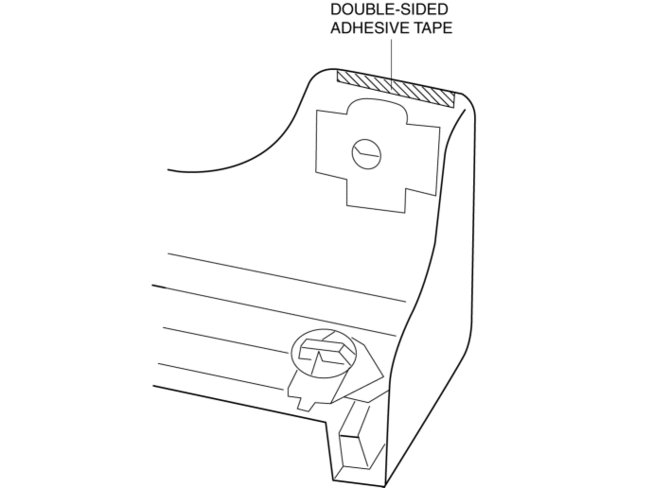
Double-sided adhesive tape has already been adhered to a new side step molding for installation.
-
When a side step molding is to be reused, perform the following procedure:
1. Remove any grease or dirt from the affixing surface of the side step molding.
2. Affix double-sided adhesive tape to the position shown in the figure.
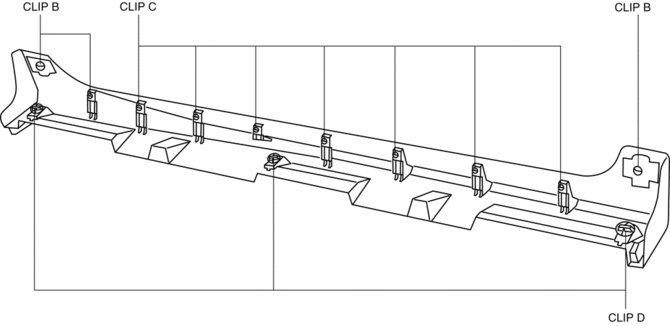
1. Install the clips B, C and D to the side step molding.
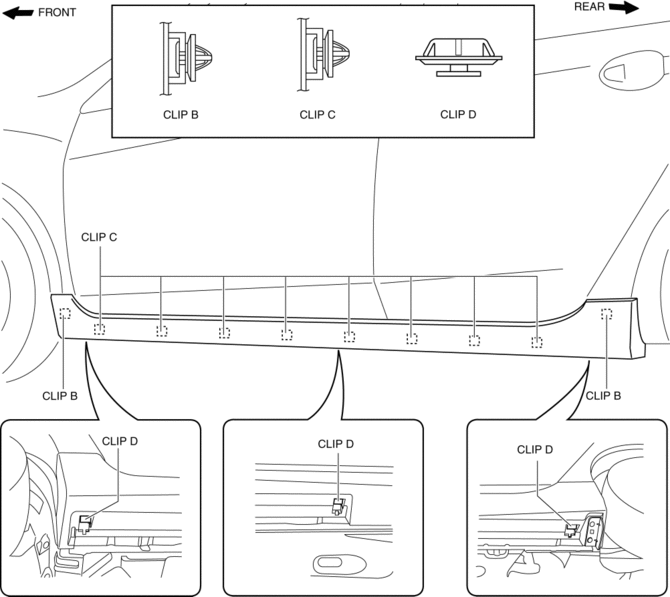
2. Install the side step molding while pushing the clips B, C, and D installation area shown in the figure.
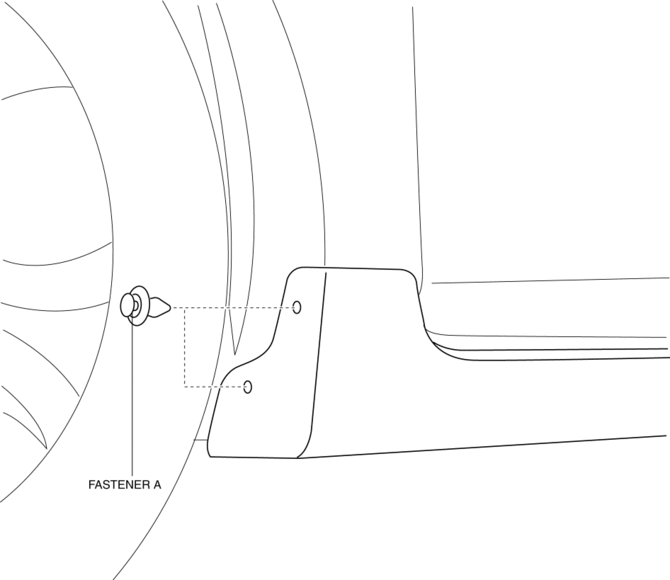
3. Install the fasteners A.
 Side Panel Removal/Installation
1. Insert a tape-wrapped fastener remover into the position indicated by the
arrow in the figure.
2. Pull the side panel in the direction of the arrow shown in the figure, then
remove the clips ...
 Side Step Molding Removal
1. Remove the fasteners A.
2. Using the removal tool, disengage clips B in the direction of the arrow (1),
(2) shown in the figure.
NOTE:
Leave the disengaged clip B in place in ...
Other materials:
Operating Tips for OGG
OGG is the audio compression format for
Xiph. Org Foundation.
Audio data can be created and stored at a
higher compression ratio than MP3.
This unit plays files with the extension
(.ogg) as OGG files.
CAUTION
Do not use an audio fi le extension on
fi les other than audio fi le ...
Discharge Headlight Control Module Removal/Installation
CAUTION:
Incorrect servicing of the discharge headlights could result in electrical
shock. Before servicing the discharge headlights, always refer to the discharge
headlight service warnings..
1. Disconnect the negative battery cable..
2. Remove the front bumper..
3. Remove t ...
Front Door Hinge Removal/Installation
1. Disconnect the negative battery cable..
2. Remove the following parts:
a. Front bumper.
b. Front combination light.
c. Front fender molding.
d. Side step molding.
e. Front fender panel.
f. Front door.
3. Remove in the order indicated in the table.
1
B ...
