
Mazda 3 Service Manual: Ion Sensor Inspection [Skyactiv G 2.0]
DTC Inspection
NOTE:
-
Because the ion sensor is integrated in the ignition coil, replacing the ion sensor includes replacement of the ignition coil/ion sensor.
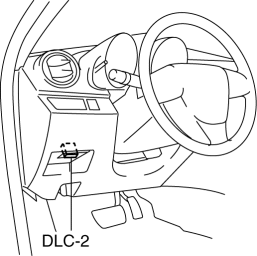
1. Connect the M-MDS to the DLC-2.
2. Perform the DTC inspection using the M-MDS..
-
If any DTC related to the ignition coil/ion sensor is present, repair the malfunctioning location according to the applicable DTC troubleshooting..
Visual Inspection
NOTE:
-
Because the ion sensor is integrated in the ignition coil, replacing the ion sensor includes replacement of the ignition coil/ion sensor.
1. Remove the battery cover..
2. Disconnect the negative battery cable..
3. Remove the plug hole plate..
4. Remove the ignition coil/ion sensor..
5. Verify that there is no damage to the ignition coil/ion sensor, and no corrosion and damage to the connector.
-
If there is a malfunction, replace the ignition coil/ion sensor..
 Front Seat Belt Removal/Installation [Two Step Deployment Control System]
WARNING:
Handling the front seat belt (pre-tensioner seat belt) improperly can accidentally
deploy the pre-tensioner seat belt, which may seriously injure you. Read the
air bag system se ...
 Neutral Switch Inspection [Mzr 2.0, Mzr 2.5]
Continuity Inspection
1. Remove the battery cover..
2. Disconnect the negative battery cable..
3. Disconnect the neutral switch connector..
4. When the shift lever is in neutral and in a positi ...
Other materials:
Front Drain Hose Removal
1. Set the air intake mode to FRESH.
2. Set the air mix mode to MAX COLD.
3. Disconnect the negative battery cable.
4. Remove the rain sensor cover. (Vehicles with auto light / wiper system).
5. Disconnect the rain sensor connector. (Vehicles with auto light / wiper system)
6. Partially ...
Electro Hydraulic Power Assist Steering (EHPAS) Control Module Configuration
CAUTION:
If the EHPAS CM configuration is not completed, the EHPAS will not operate
properly. If the EHPAS CM is replaced, always carry out the EHPAS CM configuration
so that the EHPAS operates properly.
1. Connect the M-MDS (IDS) to the DLC-2.
2. After the vehicle is ident ...
Operating the Radio
Radio ON
Select the icon on the home
screen to display the Entertainment screen. When selecting
the desired radio, the following icons are indicated in the lower part of the
center display.
AM/FM Radio
Icon
Function
Displays the Entertainment menu. Use to ...
